
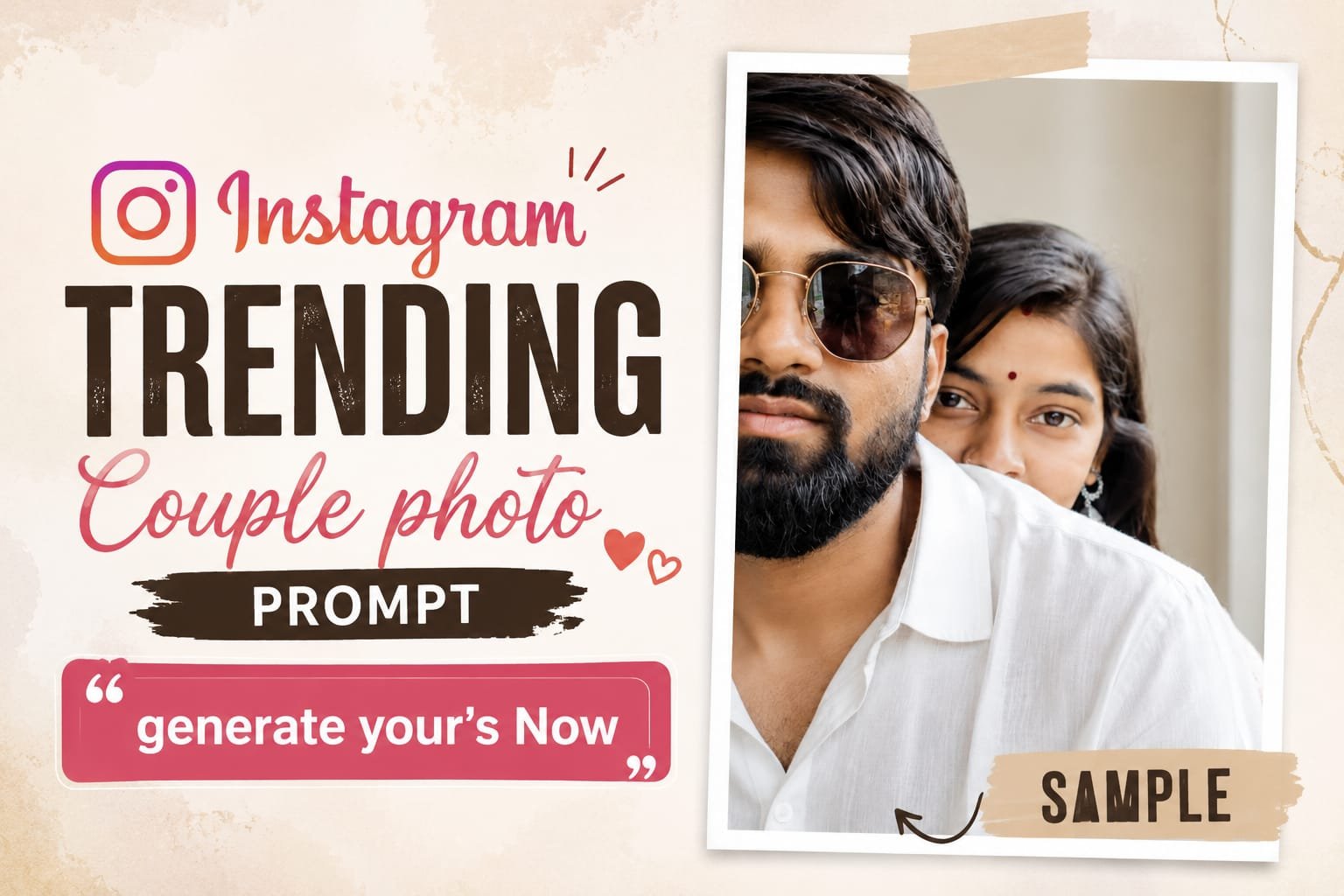
Want to create the Instagram viral couple photo look you’ve been seeing in Reels and posts? You can do it with ChatGPT by uploading your couple photo and giving the AI a detailed editing prompt. The prompt controls the pose, lighting, camera angle, background, mood, and overall photography style.
This trend has become popular because you don’t need Photoshop or professional photography equipment. A good reference photo and a well-written Instagram viral couple photo prompt can turn an ordinary picture into a cinematic, natural-looking portrait.
In this guide, you’ll learn how to upload your photo, use ChatGPT for the edit, fix common face and hand problems, and create a close-up version suitable for Instagram.
Also Try : Instagram lofi dusk image editing prompt
What Is an Instagram Viral Couple Photo Prompt?
An Instagram viral couple photo prompt is a detailed instruction that tells an AI image tool how to transform a couple’s photo while controlling the desired composition, lighting, pose, and visual style.
Instead of asking ChatGPT to simply “make my photo viral,” you describe exactly what you want.
A strong prompt can specify:
- Facial identity
- Couple pose
- Camera angle
- Background
- Lighting
- Clothing
- Facial expressions
- Depth of field
- Image ratio
- Photography style
Current couple-photo prompt trends commonly focus on realistic facial preservation, cinematic lighting, candid poses, and Instagram-friendly vertical compositions.
The goal isn’t to make the image look overly artificial. The best results usually feel like a real photograph taken by a professional photographer.
How to Create an Instagram Viral Couple Selfie Photo With ChatGPT?
To create the image, upload a clear couple photo to ChatGPT, explain that you want to edit the uploaded image, paste your chosen prompt, and generate the result. ChatGPT’s image tools can use an uploaded image as a visual reference while following your text instructions.
Step 1: Choose a good couple photo
Start with a clear photo where both faces are visible.
For better results, use a photo with:
- Good lighting
- Sharp faces
- Minimal blur
- Natural expressions
- No heavy filters
- Both people clearly visible
A clear reference gives the AI more visual information to work with.
Step 2: Open ChatGPT
Open ChatGPT and start a new conversation.
Upload your couple photo using the image upload option.
You can also upload separate photos of both people when the desired composition requires clearer individual references.
Step 3: Tell ChatGPT what you want
Before using the prompt, give a simple instruction such as:
“Edit this uploaded couple photo using the prompt below. Keep both people recognizable and create a realistic Instagram-style photograph.”
Then paste your chosen prompt.
Step 4: Copy and paste this prompt
Use the prompt below as your base and replace the blank section with your preferred scene.
Your Instagram Viral Couple Photo Prompt:
Create an ultra-realistic vertical portrait of two people in a bright, minimal indoor room with soft natural window light. A close-up over-the-shoulder composition shows the foreground person on the left wearing a light White textured linen shirt, with only part of the face visible in a cinematic crop. Behind them, the second person playfully peeks over the shoulder, revealing only one expressive eye and part of the forehead, with long straight center-parted hair. Soft diffused lighting, creamy skin tones, shallow depth of field, realistic fabric texture, natural color grading, 85mm lens, f/1.8, DSLR-quality, photorealistic, cinematic framing, elegant lifestyle aesthetic, HDR, 8K. Negative: blurry, low quality, extra limbs, duplicate people, deformed face, watermark, logo, text, CGI, cartoon, oversaturated colors, don’t changed uploaded image face and perfect photo.
This format makes it easy to experiment with different couple poses, locations, outfits, and photography styles.
Step 5: Generate the image
Ask ChatGPT to generate the image.
Don’t worry if the first result isn’t perfect. AI image editing often improves when you refine one specific element instead of rewriting the entire prompt.
For example, you can say:
“Keep the same image, but make both faces more natural and preserve the original facial features.”
Or:
“Keep the composition unchanged and fix the hands and fingers.”
How Can You Make a ChatGPT Couple Photo Look More Realistic?
The easiest way to make an AI couple photo look realistic is to preserve the original facial identity, use natural lighting, avoid excessive skin smoothing, and describe realistic camera characteristics.
Try adding instructions such as:
- Preserve the original facial structure.
- Keep natural skin texture.
- Maintain realistic body proportions.
- Keep both people recognizable.
- Avoid artificial beauty filters.
- Use realistic hands and fingers.
- Avoid duplicated facial features.
- Keep natural hair texture.
- Use subtle photographic grain.
One useful trick is to avoid stuffing the prompt with too many visual effects.
A realistic photograph usually needs fewer effects than an obviously AI-generated image.
Current prompt research and examples also show that realistic lighting, accurate faces, and clear composition are more useful than simply adding words such as “8K” repeatedly.
What Should You Do If ChatGPT Changes the Faces?
If ChatGPT changes the couple’s faces, regenerate the image with stronger identity-preservation instructions and use clearer reference photos. Face consistency is one of the most common challenges when editing two people in the same image.
Try this follow-up instruction:
“Keep both people exactly recognizable from the uploaded reference images. Do not redesign, beautify, reshape, or replace their facial features. Preserve their natural face shape, eyes, nose, lips, hairstyle, and skin tone.”
If the result still changes the faces, upload a clearer reference image.
Avoid heavily filtered selfies because filters can make it harder for an image model to understand the original facial features.
Is It Safe to Use Your Couple Photos With AI?
You should only upload photos that you have permission to use, especially when another person’s face appears in the image. Avoid uploading private or sensitive photographs to an AI tool unless you’re comfortable with the service’s privacy and data practices. For a social media post, also remember that an AI-edited image can look realistic enough that viewers may assume it is an original photograph. If the image significantly changes the real scene, consider making that clear when appropriate. The goal is to create something fun and creative without misleading people about what actually happened in the photograph.
Conclusion
Creating an Instagram viral couple photo doesn’t require advanced Photoshop skills or a professional camera. With a clear reference image and a detailed AI prompt, you can transform an ordinary couple photograph into a cinematic, romantic, or creative social media image.
The process is simple. Upload your photo to ChatGPT, describe the edit you want, paste the relevant Instagram viral couple photo prompt, and generate the image. If something looks wrong, don’t start over immediately. Use a short follow-up instruction to correct the specific problem.
For example, you can ask ChatGPT to preserve the faces, fix the hands, improve the lighting, change the background, or adjust the framing.
The same approach works for the Insta viral couple photo editing prompt style, close-up portraits, cinematic edits, and the popular Instagram viral couple eye closeup photo prompt format.
If you’re creating an image specifically for Instagram, remember to choose the correct composition before generating it. A 9:16 layout works well for Stories and Reels, while a 4:5 portrait layout is useful for feed posts.
Most importantly, start with a good reference photograph. Clear faces, natural lighting, and minimal filters give the AI more useful information. Then keep your prompt specific. Tell it what should remain unchanged and what should be transformed.
You can start with the blank prompts in this guide and customize the scene, pose, lighting, clothing, and mood to create your own version.
Upload your couple photo, choose your preferred prompt, generate the image, and refine it until the result feels natural and Instagram-ready.