
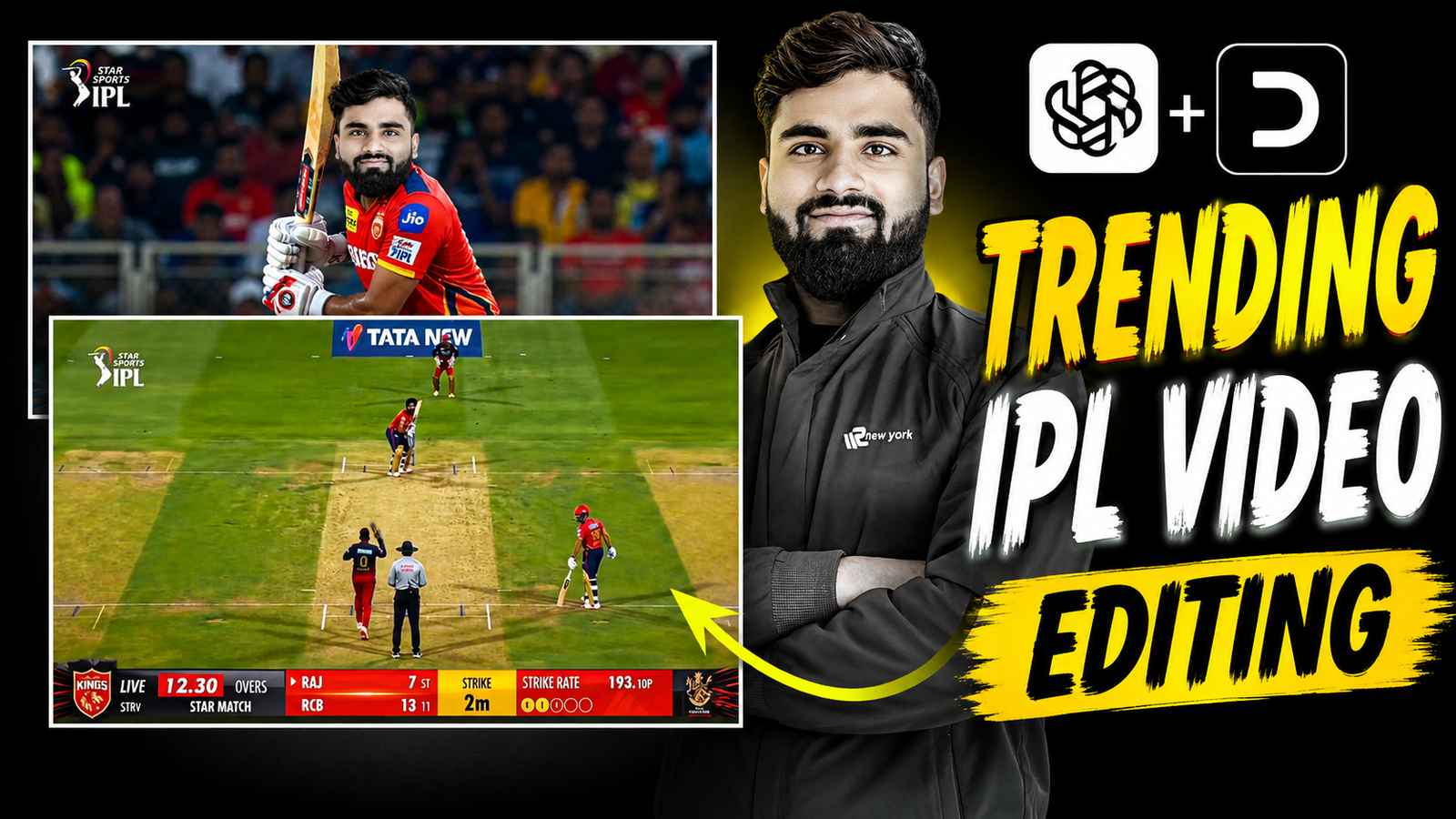
These days, AI-generated IPL broadcast-style videos are taking social media by storm. Creators are transforming ordinary photos into cinematic live cricket match scenes and gaining millions of views across Instagram Reels, YouTube Shorts, and other short-video platforms. The most exciting part is that you do not need an expensive camera, professional editing software, or access to a real cricket stadium. With the right Instagram Trending IPL Batting Video Editing Prompt and a well-crafted cinematic motion prompt, anyone can create a realistic cricket broadcast video in just a few minutes.
The popularity of these AI cricket videos comes from their ability to make viewers feel like they are watching a real IPL match on live television. From dramatic stadium lighting and cheering crowds to professional camera angles and broadcast-style graphics, AI can recreate the complete match-day experience using just a single photo.
In this guide, you will learn how to create an ultra-realistic IPL batting video using your own face. We will walk through the complete process, including the best Instagram Trending IPL Batting Video Editing Prompt, image generation techniques, motion prompts, and practical tips to make your final video look more authentic and engaging. Whether you are a content creator, cricket fan, or someone looking to create viral AI videos, this step-by-step tutorial will help you generate eye-catching IPL-style content that stands out on social media.
Scene 1 — Broadcast Intro Shot
The goal of the first scene is to create a powerful and cinematic player introduction, similar to what viewers see before a live IPL broadcast begins. The camera should slowly reveal the player, focusing on key details such as facial expressions, bat grip, body posture, and batting stance. This dramatic introduction builds anticipation and makes the player look like a professional cricketer stepping onto the field for a high-stakes match.
The shot should feature smooth camera movements, dynamic stadium lighting, and a broadcast-quality atmosphere. As the camera moves closer, it should highlight the player’s confidence, determination, and readiness to face the next ball, recreating the exact feel of a premium TV sports intro sequence.
Image Prompt – Ultra-realistic full body IPL live broadcast frame during a night cricket match in a packed Indian stadium. Use my uploaded face only and preserve exact facial structure, beard, hairstyle, skin tone, eyes, and likeness naturally. Full body visible from head to shoes, standing at batting crease in an athletic cricket pose while holding the bat confidently. Wearing a modern red professional cricket jersey, cricket pads, gloves, trousers, and sports shoes with realistic fabric folds and sweat details. Official sports broadcast camera perspective, cinematic stadium floodlights, energetic crowd blur, shallow depth of field, authentic cricket ground atmosphere. Realistic grass pitch, boundary ropes, LED advertising boards, and stadium seating visible. TV broadcast graphics overlay at bottom with scorecard, strike rate, team logos, and LIVE match interface. High-end sports photography, ultra detailed, realistic shadows and skin texture, dynamic sports energy, broadcast quality, 16:9 aspect ratio.
Video Prompt – smooth zoom on face then hold for 0.5 second then camera pans to hands gripping bat and holds for 0.5 second → slow sweep to legs and ground → player taps bat on pitch while preparing stance → strictly same live broadcast screen throughout
Scene 2 — Action Shot
In the second scene, the focus shifts to the actual gameplay moment, where the batsman plays a powerful and aggressive cricket shot. This is the most exciting part of the Instagram Trending IPL Batting Video Editing Prompt, as it transforms a simple photo into a realistic live cricket broadcast sequence.
The player confidently swings the bat, making perfect contact with the ball while the camera captures every detail in cinematic slow motion. The ball then launches high into the air and travels beyond the boundary, creating the feel of a massive six in a professional IPL match. Dynamic camera angles, stadium floodlights, cheering crowds, and broadcast-style effects enhance the realism and excitement.
To make your Instagram Trending IPL Batting Video Editing Prompt video look even more authentic, include smooth camera tracking, crowd celebrations, dramatic ball-follow shots, and high-energy sports commentary effects. These elements help recreate the atmosphere of a real IPL broadcast and significantly increase the chances of your AI-generated cricket video going viral on Instagram Reels, YouTube Shorts, and other social media platforms.
Image Prompt – Ultra-realistic IPL-style live cricket broadcast frame during a night match in a packed Indian stadium. Use my uploaded face only and preserve exact facial structure, hairstyle, beard, skin tone, eyes, and likeness naturally. Full body visible from head to shoes. I am batting at the striker end in an aggressive professional cricket stance, holding the bat ready to play a fast delivery. Wearing a modern red-and-blue professional cricket jersey, batting pads, gloves, trousers, and sports shoes with realistic fabric folds and sweat details. Official sports broadcast camera angle from behind the bowler, wide stadium view exactly like a televised cricket match. Visible pitch texture, crease lines, wicketkeeper behind stumps, fielders in background, umpire standing near stumps, cinematic floodlights, energetic crowd blur, realistic shadows and motion. Add authentic live broadcast graphics at bottom with over count, strike rate, score ticker, and team logos style. Sharp focus on batsman, ultra-detailed, cinematic sports photography, 16:9 aspect ratio.
Video Prompt – batsman hits the ball and ball moves out of boundary
Final Editing Tips for a Realistic IPL Broadcast Look
To achieve the most professional results from your Instagram Trending IPL Batting Video Editing Prompt, export your final video at 24 FPS or apply subtle cinematic motion blur. This creates a smoother and more film-like appearance that closely resembles professional sports broadcasts.
For added realism, include crowd cheering sound effects, stadium ambience, and audience reactions throughout the video. These audio elements make viewers feel as if they are watching a live IPL match rather than an AI-generated creation.
Keep your broadcast score overlay consistent across all scenes. A clean and professional scoreboard design helps maintain the authentic television broadcast experience and improves the overall visual quality of the video.
When editing, focus on smooth transitions between scenes and avoid excessive flashy effects. Professional sports broadcasts rely on natural camera movements and seamless cuts rather than distracting visual effects.
Adding stadium floodlight glow, realistic shadow effects, and energetic cricket commentary can instantly elevate the production quality. These small details create a more immersive atmosphere and make the action feel genuine.
If you use the prompts correctly and pay attention to these finishing touches, AI-generated cricket videos can look remarkably similar to real sports broadcasts. With the right combination of visuals, motion effects, audio design, and the Instagram Trending IPL Batting Video Editing Prompt, you can create viral-worthy cricket content that captures attention across Instagram Reels, YouTube Shorts, and other social media platforms.