
WordPress is used by around 40% of all websites, making it the world’s most widely used CMS by a good margin, and it’s easy to see why. It’s flexible, there’s a plugin for almost everything, and you don’t need a developer to publish a new page.
But WordPress can only be as fast and reliable as the hosting behind it.
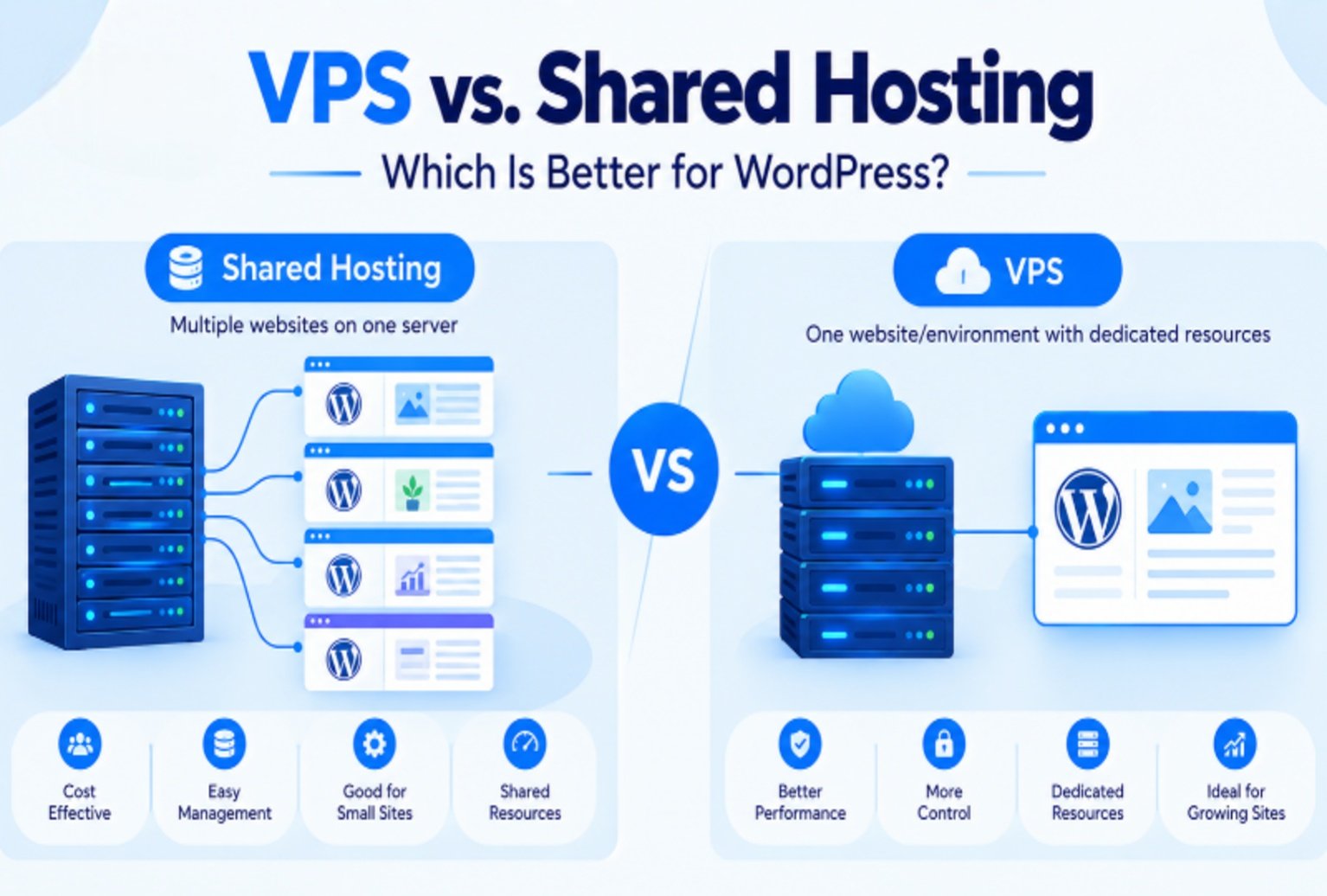
Shared and VPS hosting can both run WordPress properly, but they’re made for different jobs. Shared WordPress hosting is the easy, low-cost way to get a smaller site online, especially if you’re comparing WordPress hosting prices before choosing a plan. A VPS gives you your own slice of resources and more control, which starts to count once traffic climbs, plugins stack up, or the site gets used all day.
Ultimately, the best choice depends on your site’s current requirements and its potential for growth.
VPS Hosting vs. Shared Server: Key Differences
1. Speed
Visitors do not wait. Google research found that 53% of mobile visitors abandon a page that takes longer than three seconds to load. The same research found that the chance of a visitor bouncing rises by 32% as load time goes from one second to three. This is where VPS hosting vs. shared server matters most, because the type of hosting you use plays a major role in how quickly your pages load.
On shared WordPress hosting, hundreds of websites draw on the same CPU and memory. When a neighboring site gets a sudden rush of visitors, it takes a larger share of those resources, and your pages can slow down even though nothing is wrong on your end. A VPS sets aside a fixed amount of resources just for your site. Your page speed then depends on your website, not your neighbors. You can also add server-level caching tools like Redis or Varnish, which many shared plans don’t allow, and that alone can make a busy WordPress site feel much quicker.
2. Plugins
Plugins are one of WordPress’s biggest strengths and also one of its most common causes of slowdowns. Page builders, booking systems, membership tools, and SEO plugins each add work to every page load.
Shared plans often have strict memory limits (128MB to 256MB), so a site with 30 or 40 plugins can start throwing errors or showing a blank white screen.
On a VPS, you can raise the PHP memory limit and adjust settings to suit your setup. That doesn’t mean you should install every plugin you come across, as a lean site is always faster. But you won’t have to choose between a feature your business needs and a site that stays online.
3. WooCommerce
Running an online store on WordPress changes things. WooCommerce handles carts, checkout, stock levels, and customer accounts, and most of those pages can’t be cached the way a blog post can. Every shopper adds real load to the server, especially during a sale.
A shared plan might cope with a handful of orders a day. Once you have steady sales or run regular promotions, a VPS is usually the safer choice. Checkout pages stay responsive, and you’re far less likely to lose a sale because the site froze at the payment step.
4. Updates
WordPress needs regular updates to its core, themes, and plugins. Some of those updates require a newer PHP version, and on shared hosting you can only pick from what the provider offers. You often can’t set up a proper staging site to test changes before they go live, either.
A VPS lets you choose your PHP version, run a staging copy of your site, and schedule updates on your terms.
5. Security
Patchstack recorded 11,334 new vulnerabilities across the WordPress ecosystem in 2025, and 91% of them were in plugins rather than in WordPress itself.
On a shared server, a poorly maintained site next to yours can sometimes put everyone on that machine at risk, depending on how well the host separates accounts.
A VPS keeps your site in its own isolated space. You can set up a firewall, limit login attempts at the server level, and decide exactly who has access. You still need strong passwords, regular backups, and up-to-date plugins, but you’re no longer relying on strangers to keep their sites clean.
6. Cost
Shared hosting is cheaper, and for many WordPress sites it’s genuinely enough. A small brochure site with a few pages and a contact form doesn’t need its own server resources.
A VPS costs more each month, and a managed VPS costs more again. But weigh that against what a slow or broken site costs you in lost enquiries and sales. For a WordPress site that generates consistent business, the additional expense typically justifies itself.
Conclusion
The right plan depends on what you expect from your site. Stay with shared hosting if your WordPress site is small, gets modest traffic, and runs only a few plugins. It’s affordable and easy to manage, and there’s no reason to pay for power you won’t use.
Consider upgrading to a VPS if:
- Pages slow down whenever traffic picks up.
- You sell products or take payments through WooCommerce.
- A page builder or membership plugin keeps hitting memory limits.
- The site brings in a substantial share of your leads or sales.
Whatever you choose, host for the site you run now, and leave room for the one you’re building.